
How to get started
Your first signups usually come from people who already know you. Here's what to do first, and simple ways to share Hookle that really work.
Your first 3 steps
Start sharing your link
Copy your link from your partner page and send it to business owners who could use Hookle. Everyone who signs up through it is yours.
Add your link to your bio
On Instagram, TikTok, Facebook, LinkedIn or your Linktree. One link that keeps working for you, every day.
Add PayPal to get paid
Add your PayPal email on your partner page, so your earnings reach you on payout day.
Golden rules
Always share your link
Your link credits you automatically. Your code is a backup: a new user can type it in the Hookle app within 7 days of signing up.
Share with the right people
Business owners and people who manage social media. A few real recommendations beat a hundred random ones: you earn when people actually use Hookle.
Say it's free to try
Hookle is free to download, and its paid plans start with a free trial. Trying it costs nothing.
Be open, no ads
Say it's your partner link: it's honest, and people appreciate it. Share real, original content in your own voice, never ad-like promotions.
What your friends see
An invite page to discover Hookle and get started, and you get the credit.
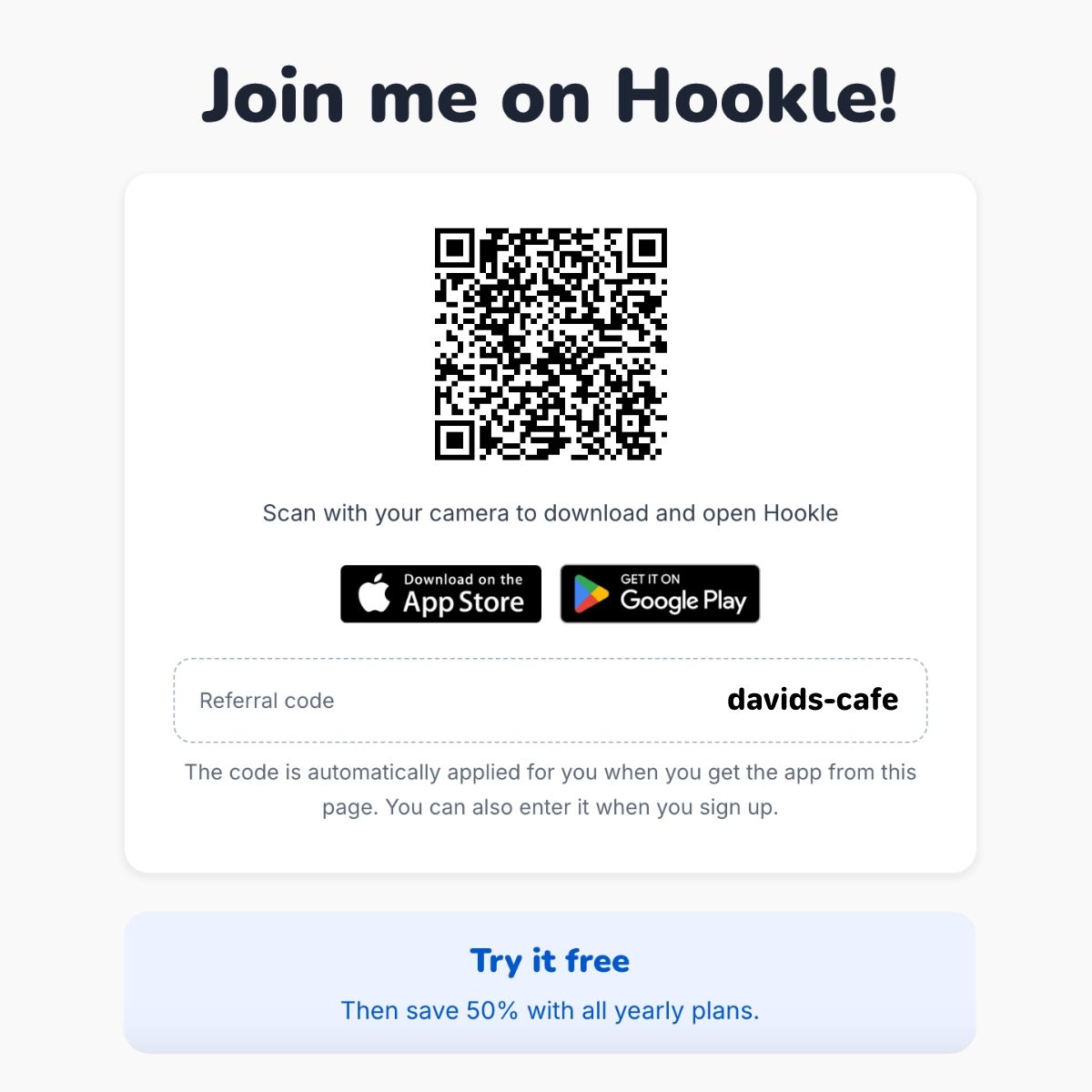
One link. Easy to get started.
Your personal referral link (e.g. go.hookle.net/davids-cafe) opens a simple invite page where friends can get the Hookle app.
- On a phone: they tap the App Store or Google Play button. Your code is carried through automatically, even when they install Hookle for the first time.
- On a computer: they scan the QR code with their phone for the same result, or sign up on the web.
Always share your link!
Your code is applied automatically when friends use your link. Without it, they must type your code in the app within 7 days of signing up, or the referral doesn't count.
6 easy ways to share Hookle
Small actions that can help you earn, starting with your personal referral link.
Recommend to a business friend
Know someone struggling with social media? Tell them how Hookle helps you and send your referral link.
Share a quick Story
Show how you manage your socials with Hookle. Add your referral link with a link sticker.
Add a link to your bio
Add Hookle to your bio, Linktree or email signature with a simple line: "The app I use for my socials."
Share in a business group
Part of an entrepreneur community? Share a useful social media tip and mention Hookle with your link, where allowed.
Show Hookle in action
Post a quick screenshot or short video of how you use Hookle in your everyday business, with your referral link.
Share your QR code
Meeting fellow business owners? Show them Hookle and let them scan your personal referral QR code.
Share with a post
Show how Hookle fits into your everyday business and inspire others to give it a try.
The best referral posts feel like genuine recommendations, not ads. Share how you actually use Hookle and why others might find it helpful.
Keep it simple:
- Show, don't just tell. Share a screenshot, a quick video or a real moment of using Hookle.
- Make it personal. Explain how Hookle helps save time or manage your socials more easily.
- Include your referral link. Give an easy way to try Hookle, and make sure your referrals count.
Remember: you don't need a perfect promotional post. Just share your real experience, keep it natural, and speak to fellow business owners.
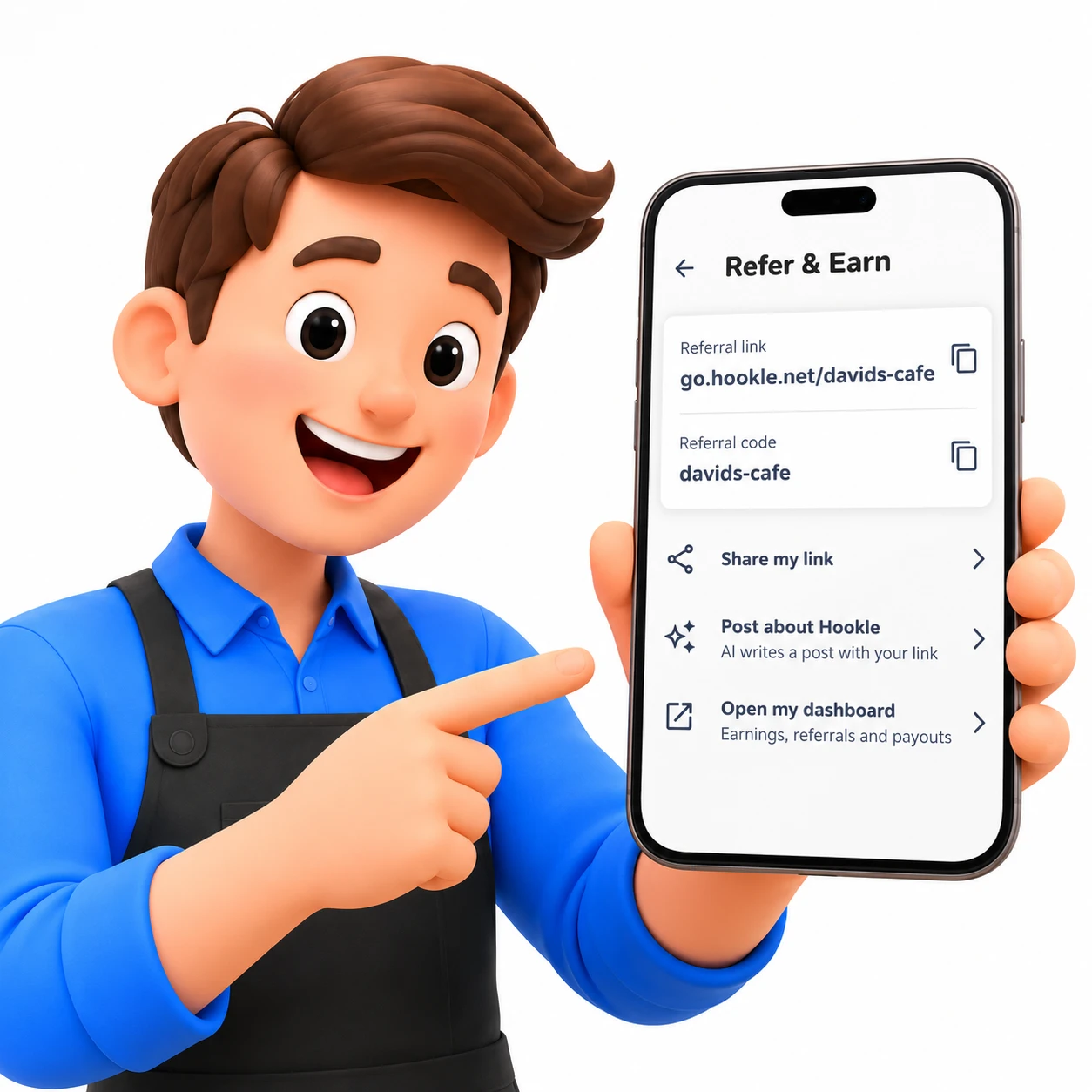
Get started with AI
In Hookle, go to Settings › Refer & Earn › Post about Hookle. AI creates a post with your referral link included. Make it your own, then share!
How to talk about Hookle
Share your experience, not a sales pitch.
Keep it personal
"I use Hookle to manage my business socials in one place. It saves me time, and the AI helps with post ideas. If you want to try it, here's my link: [your link]"
Just an example: say it in your own words.
What makes Hookle worth sharing?
- Manage multiple social accounts in one app.
- Get AI help with content ideas and posts.
- Save time with easy scheduling.
- Simple app, made for small business owners.
Mention the benefits you've experienced yourself.
Keep it genuine
A few simple rules help keep the program fair and trustworthy for everyone.
- Share your real experience with Hookle.
- Recommend it to people who could genuinely benefit.
- Be transparent that you may earn from referrals.
- Spam people or groups with your link.
- Make misleading promises or invent discounts.
- Impersonate Hookle or refer yourself.
Paid search ads using the Hookle name aren't allowed. See the guidelines for all rules.
Ready to share?
Find your link, code and QR code on your partner page.
Open your partner pageCreate great content? Earn per post too as a Creator.